A SIM swap attack is an account takeover where a criminal convinces your mobile carrier to move your phone number onto a SIM card they control. Once the transfer goes through, every call, text, and SMS-based two-factor code that was meant for you arrives on the attacker's device. Bank logins, crypto exchanges, email recovery, and social media accounts can fall in under an hour.
This guide is written for executives, journalists, healthcare workers, and lawyers who manage high-value accounts on a smartphone. If a single SMS code stands between an attacker and your money, your patient records, or your sources, you are the target. Spy-Fy publishes a wider library on phone privacy hardware, including the full privacy cases collection, but this article focuses on the carrier-level attack that no case alone can stop.
By the end you will know exactly how SIM swap fraud works, the warning signs that you have already been hit, and the specific settings to change with your carrier and accounts to make yourself a much harder target.
What a SIM swap attack actually is
A SIM swap attack, sometimes called SIM swapping or SIM jacking, is a social engineering attack against a mobile carrier. The attacker does not hack your phone directly. They call, chat, or walk into a store pretending to be you, claim they lost their SIM, and ask the carrier to port your number to a new SIM in their hand. If the carrier representative is fooled, your phone loses signal and the attacker's phone takes over your number.
The same attack works against eSIM profiles. Instead of mailing a physical SIM, the carrier issues a new eSIM activation code that the attacker scans into their device. eSIM does not fix the underlying weakness, which is that carrier staff can be tricked into reassigning a number based on personal information.
The point of the attack is rarely the number itself. The number is a stepping stone to SMS-based two-factor authentication codes, password reset links, and authenticator app recoveries that fall back to text messages.
How hackers pull off SIM swap fraud step by step
SIM swap fraud follows a predictable playbook. Knowing the stages helps you spot where to break the chain.
1. Reconnaissance on the target
Attackers gather personal details from data breaches, social media profiles, public records, and sometimes spyware planted on a target's phone. Date of birth, address history, last four of a card, mother's maiden name, recent transactions, and security question answers are the building blocks. The 2022 T-Mobile breach and recurring credential dumps mean most basic identity data is already for sale on criminal forums.
2. Carrier social engineering
Armed with that data, the attacker contacts the carrier. They might call support claiming a damaged phone, walk into a retail store with a fake ID, or in some documented cases bribe an insider employee. A Princeton study cited by Thomson Reuters found researchers successfully swapped numbers in roughly 80 percent of attempts across five major U.S. prepaid carriers. The bar is lower than most customers assume.
3. The cutover
Once the carrier activates the new SIM, the victim's phone drops to "No Service" or "SOS only." The attacker now receives all calls and texts. This window is usually short. Most accounts are drained within one to four hours because criminals know the victim will eventually notice and call the carrier back.
4. Account takeover
With the number live, the attacker triggers password resets on email, bank, brokerage, and crypto accounts. SMS codes arrive on their device. They change passwords, disable notifications, and in many cases lock the real owner out by switching the recovery email and adding their own authenticator app. By the time the carrier reverses the swap, the money is gone.
Real cases that show the stakes
SIM swapping is not theoretical. A few cases set the public benchmark for how bad it can get.
In August 2019, Twitter CEO Jack Dorsey lost control of his own Twitter account after attackers SIM-swapped his number and posted offensive tweets through a legacy SMS-to-tweet feature. A high-profile executive at the company running the platform was not immune.
Crypto investor Michael Terpin sued AT&T after a 2018 SIM swap led to roughly 24 million dollars in stolen cryptocurrency. He eventually won a 75.8 million dollar judgment against one of the attackers. The FBI's Internet Crime Complaint Center reported more than 1,000 SIM swap complaints in a single recent year with combined losses well over 70 million dollars, and Australian identity service IDCARE recorded a 240 percent surge in SIM swap reports in 2023. Bitsight's threat intel team has also tied groups like Scattered Spider and Kiberphant0m to large-scale SIM swap operations targeting both consumers and enterprise help desks.
Warning signs your SIM has been swapped
Speed matters once a swap is underway. Treat any of the following as an immediate red flag.
- Your phone shows "No Service," "SOS," or "Searching" with full battery in an area where you normally have signal.
- You receive a text or email from your carrier confirming a SIM change, port-out, or eSIM activation that you did not request.
- You suddenly cannot log into your email, bank app, or social accounts and password resets are not arriving on your phone.
- Friends or colleagues mention strange calls or messages "from you" that you never sent.
- Your bank, brokerage, or crypto exchange sends a login or withdrawal notification from a device or location you do not recognize.
If you see two or more of these together, assume you are mid-attack. Call your carrier from another phone immediately, ask them to freeze the account and reverse any recent SIM change, then start locking down financial accounts.
How to prevent SIM swap attacks
SIM swapping protection is layered. No single setting is enough, but the combination below makes you a much harder target than the average customer.
Set a SIM PIN and a carrier port-out lock
Every major U.S. carrier now offers a number transfer lock and a separate account PIN. On Verizon it is called Number Lock or SIM Protection. On AT&T it is Wireless Account Lock. On T-Mobile it is Account Takeover Protection plus a port-out PIN. Turn all of them on. Use a passphrase that is not your date of birth, address, or anything mineable from social media.
Move off SMS two-factor authentication
The single biggest control is replacing SMS codes with an authenticator app or a hardware security key. Apps like Google Authenticator, Authy, or your password manager's built-in TOTP feature generate codes on the device itself, so a hijacked number is worthless. For your most sensitive accounts, especially email and primary financial logins, use a FIDO2 hardware key.
Audit recovery options
Many accounts will happily fall back to SMS even when you have an authenticator app set up. Go into your security settings on email, banking, and crypto accounts and remove your phone number as a recovery option wherever possible. Replace it with backup codes stored in a password manager or a secondary hardware key.
Lock down the data attackers need
Social engineering only works because the attacker can answer your security questions. Freeze your credit with all three U.S. bureaus, opt out of data broker sites, and stop posting birthdates, pet names, and home addresses on social media. The less you give them, the harder the carrier call becomes.
Watch for spyware that feeds the attack
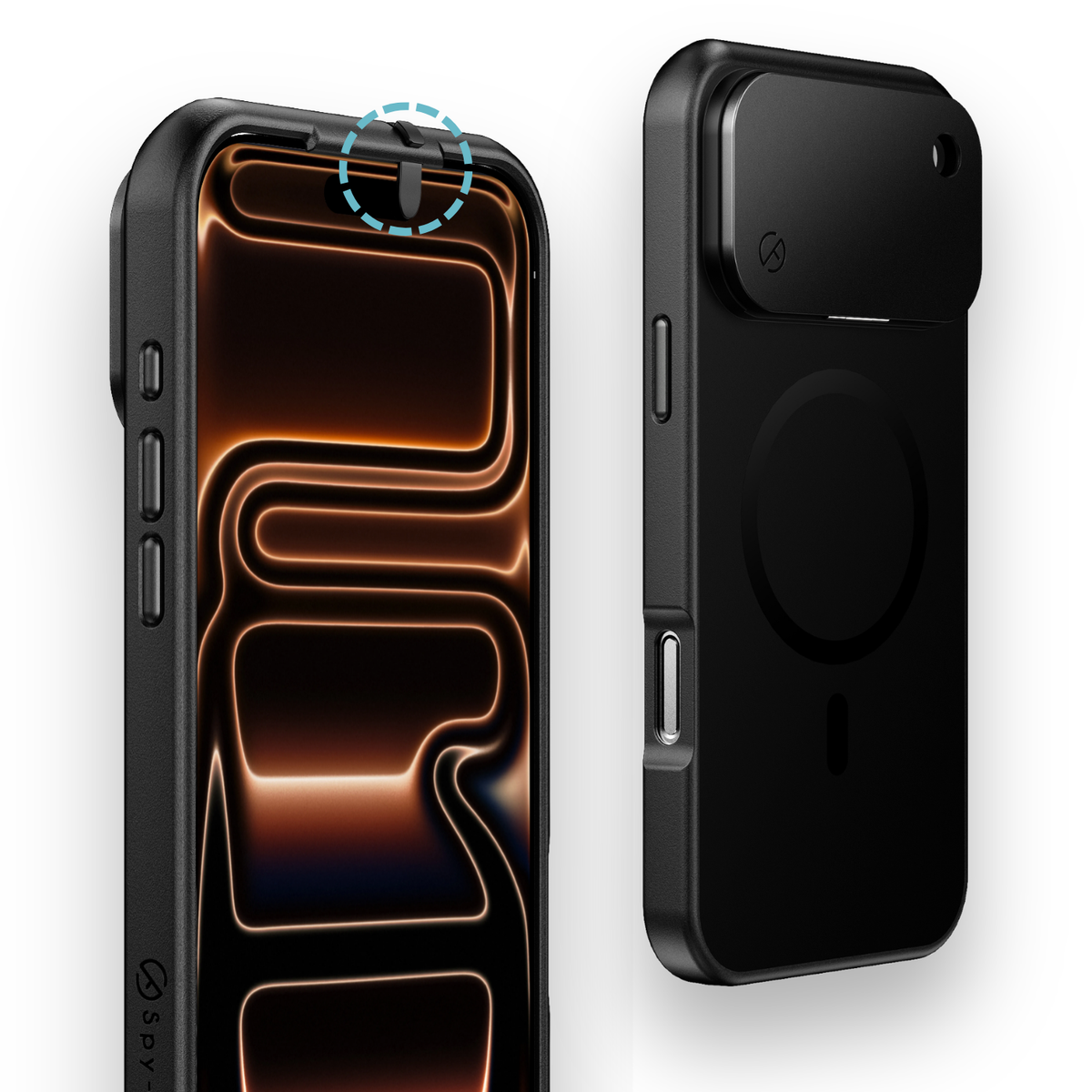
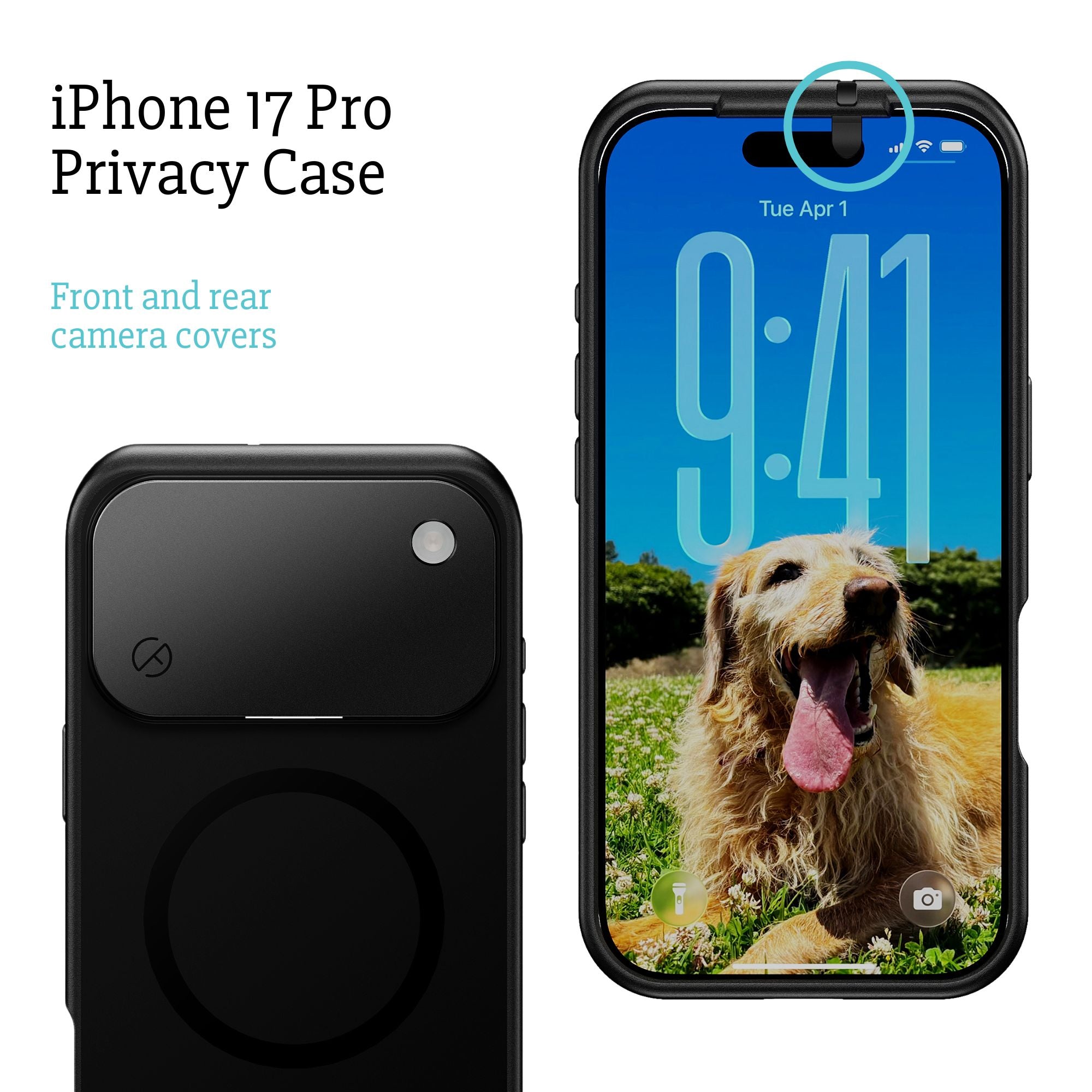
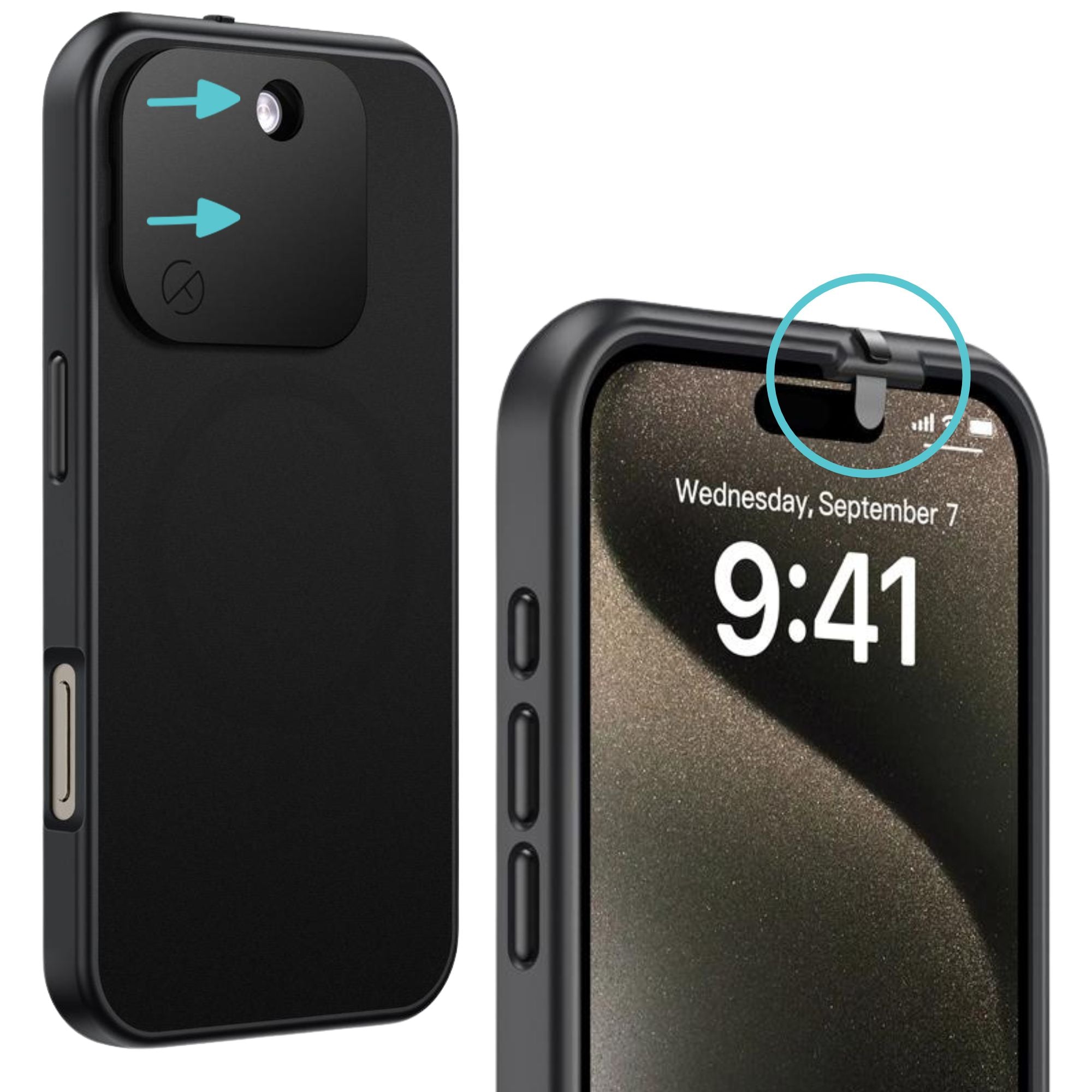
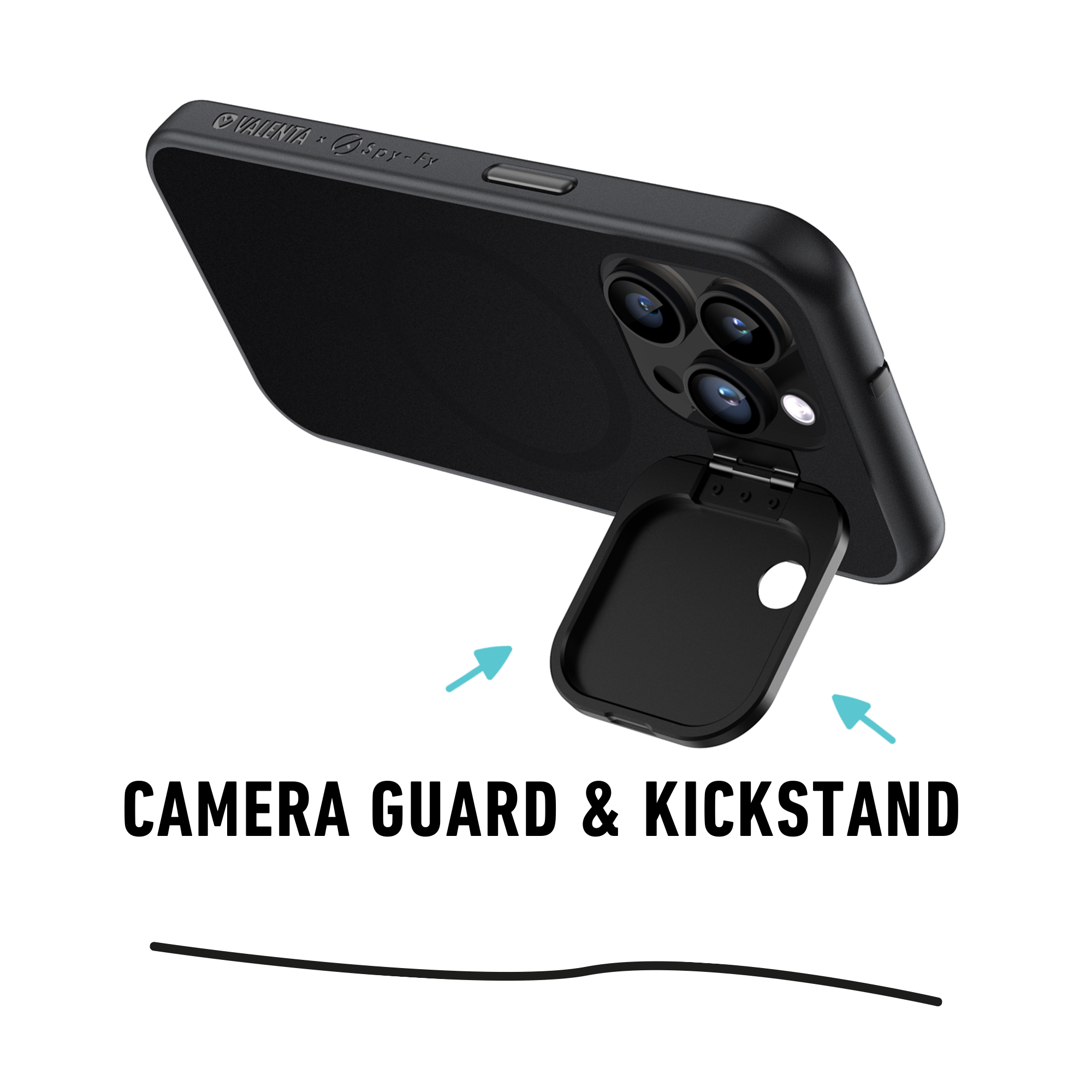
An angle the rest of the SERP rarely covers: stalkerware and spyware on your phone make SIM swap fraud easier. A compromised phone leaks your contacts, banking app screenshots, and exact answers to your security questions. Review installed apps regularly, keep iOS and Android up to date, and treat any device used by a stalker or estranged partner as suspect. Apple has continued to harden the platform, and our breakdown of the iPhone 17 privacy updates covers what changed and what still needs hardware-level defense. Pairing a clean phone with a physical camera cover like the iPhone 17 privacy case removes the surveillance channels that let attackers profile you before they even call your carrier.
Use a Faraday bag for high-risk moments
For travel, sensitive meetings, or any situation where you cannot afford an undetected port-out attempt, a Faraday bag blocks all cellular, Wi-Fi, Bluetooth, and GPS signals to the device inside. A criminal cannot complete a SIM cutover against a phone that is fully offline, and you also remove tracking risk during the same window. If you want a primer on the technology itself, our explainer on what a Faraday bag does walks through the physics in plain English.
What to do if you are already a victim
If your phone has gone dead and you suspect a swap, work the list in this order:
- Call your carrier from another phone, identify yourself, and ask them to reverse the SIM change and freeze the account.
- From a trusted computer, change your email password first. Email is the recovery point for everything else.
- Lock or freeze bank, brokerage, and crypto accounts. Call fraud lines directly rather than waiting on app notifications.
- Remove the attacker's recovery email, phone, and authenticator from each compromised account.
- File a report with the FBI's IC3 at ic3.gov and with your local police. You will need the report for insurance, civil suits, and carrier disputes.
- Place a fraud alert and credit freeze with Equifax, Experian, and TransUnion.
Document timestamps as you go. SIM swap litigation against carriers and individual defendants has succeeded when victims could prove the exact window of the takeover.
The bigger picture
SIM swap attacks succeed because the phone number quietly became the master key to digital life, and the system that issues that key was designed for customer convenience, not adversarial security. You cannot fix the carrier industry on your own, but you can stop using SMS as a security factor, lock down what your carrier will do without strong verification, and reduce the personal data that makes social engineering work.
The defense in depth approach is the one that holds up: an authenticator app or hardware key for two-factor, a port-out lock and account PIN with your carrier, a clean phone free of spyware, and a privacy case that closes the camera channels attackers use to profile you. For phone-level hardware that complements these controls, browse the full Spy-Fy privacy cases collection and pick the layers that match your threat model.